With Roles you can configure general system access and employee access based on the supervisor hierarchy. Now you can additionally set each user's employee access as part of a business unit: You can assign which Department, Team, Cost center or Legal entity a user should have access to, in addition to their role.
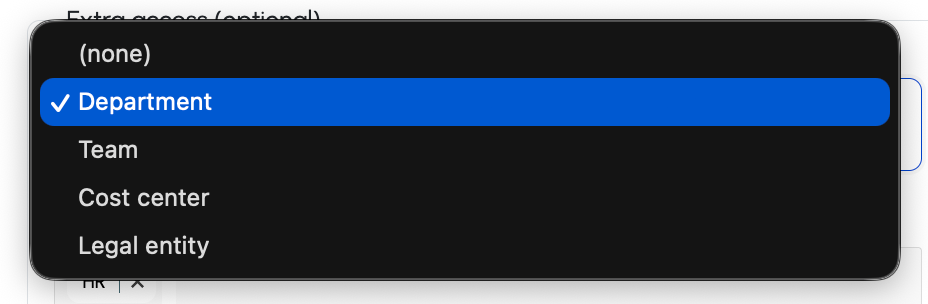
Two examples of where this might be useful.
1) Matrix-organizations
A user can see their subordinates and a unit of the company
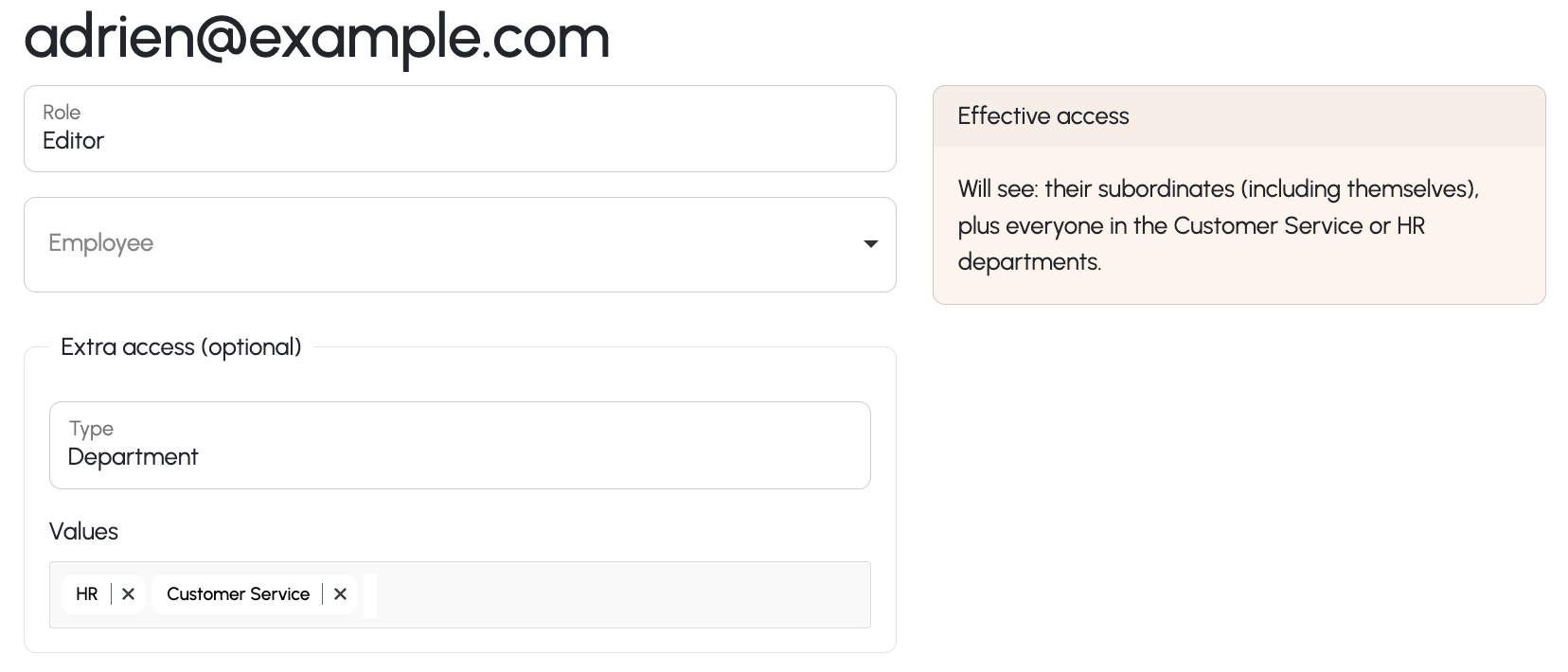
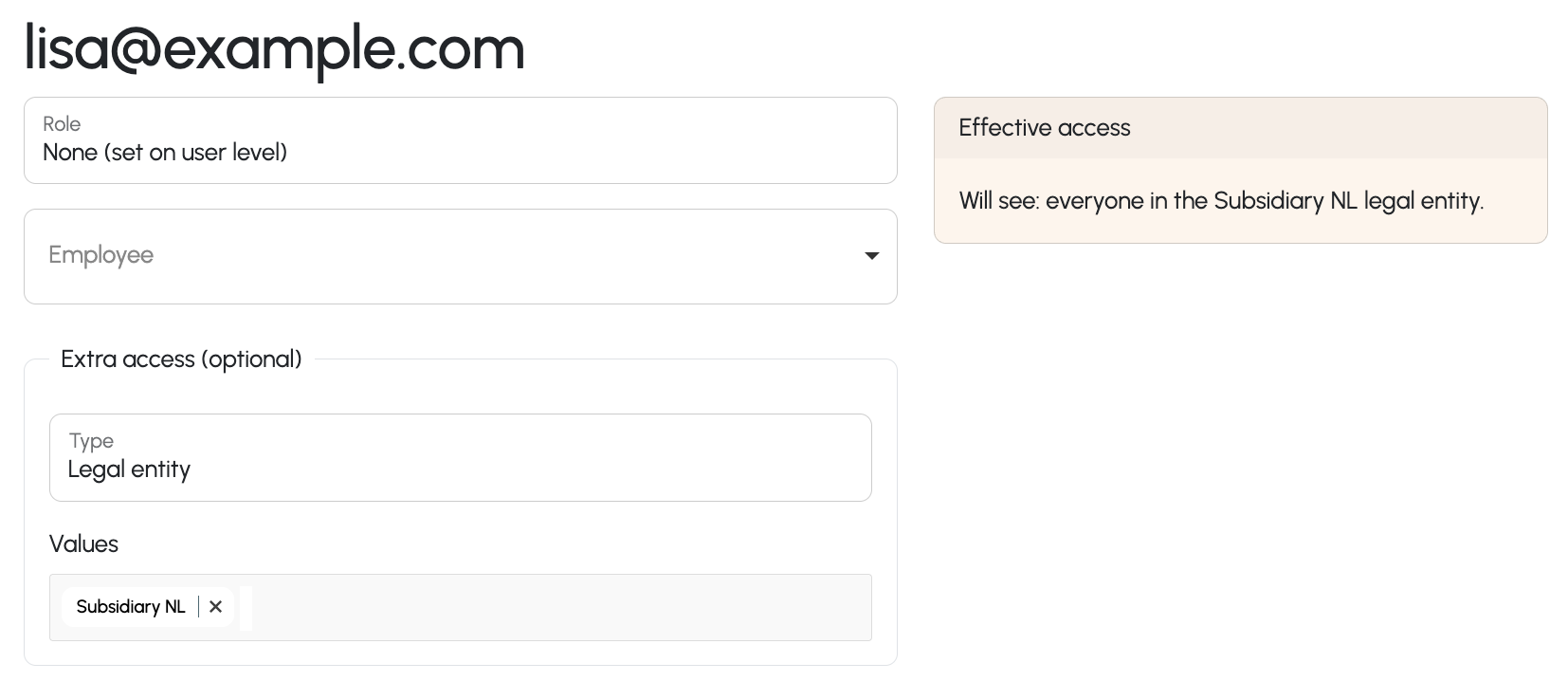
2) Business unit only access, e.g. external advisors
If a certain user should have access to an entire unit, like a legal entity or team, but otherwise to nobody, you can create a role with access "nobody" and set permissions only on user level.
Was this article helpful?
That’s Great!
Thank you for your feedback
Sorry! We couldn't be helpful
Thank you for your feedback
Feedback sent
We appreciate your effort and will try to fix the article