It's now possible to easily cherry pick updates from imported employees to your scenarios. The Deltas tab of the scenario now has a button to apply the changes into your scenario. The logic gives you fine control of what to apply, some examples:
1) For incoming new employees you can be add that employee to your scenario

2) For incoming contract changes like a raise you can add that raise also to your scenario

3) For updated field information, you can apply the changes per per field. Say for example you have changed your cost center labels, you can cherry pick only this field to be updated while all other Deltas remain as they are. This way you stay in full control of your planning

The same logic applies also between scenarios and scenarios. Simply change the reference on the Deltas tab to switch the source which you want to compare with. The buttons and their logic remains the same.
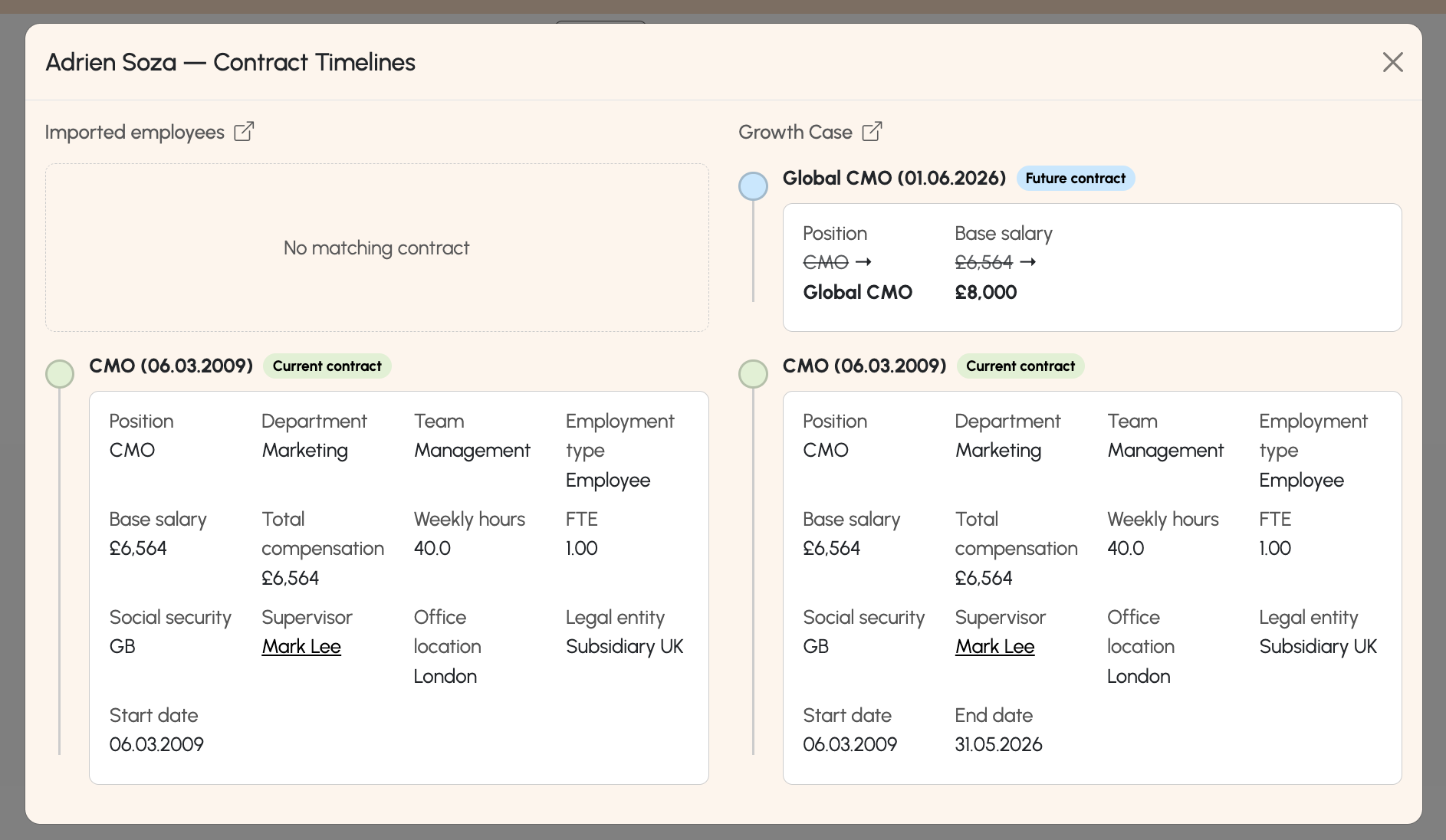
To understand the differences between employees more visually, you can click on the "compare" button in the table, which will show both employees timelines next to each other
Was this article helpful?
That’s Great!
Thank you for your feedback
Sorry! We couldn't be helpful
Thank you for your feedback
Feedback sent
We appreciate your effort and will try to fix the article